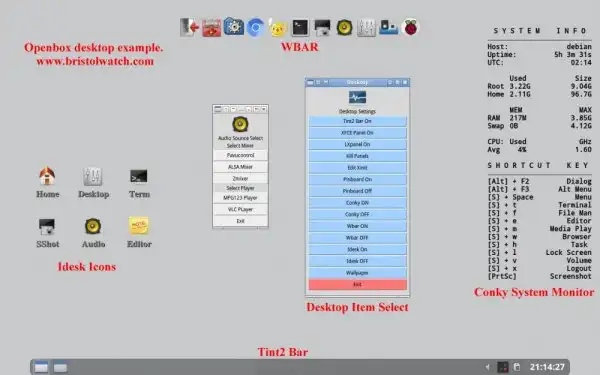
Tutorial: Xinitrc Desktop Manager Control for Linux
by Lewis Loflin (lloflin2@gmail.com)
The Role of .xinitrc
The hidden ~/.xinitrc file is the blueprint for your desktop environment when logging in via the command line. It defines which window manager, panels, wallpaper, and background applications load upon starting the X server with startx.
Installation & Setup
For a highly customizable system, install your preferred window managers and panels:
sudo apt-get install openbox jwm fluxbox pekwm tint2 fbpanel xfce4-panel parcellite volti
Configuration Examples
In your ~/.xinitrc, remember to terminate background tasks with & and use exec for the final window manager session.
Example: Openbox with Tint2 and WBAR
#!/bin/sh
sh ~/.fehbg &
exec tint2 &
parcellite &
(sleep 4s && conky) &
volti &
(sleep 2s && wbar) &
exec openbox-session
Key Panel Options
- Tint2: Efficient, minimalist taskbar with quick-launch support.
- FBpanel: Includes built-in menu, system monitors, and tray support.
- Xfce4-panel: Highly modular, supports easy addition of plugins and quick-launch icons.
Site Navigation
- Linux Desktop Projects: